Analyzing a PCAP file with Wireshark 🌊🦈
PCAP file analysis with Wireshark
The pcap file ‘case1.pcap’ was opened in Wireshark. I filtered through the network traffic log using the ‘smtp’ filter to examine the email traffic associated with the smtp protocol.
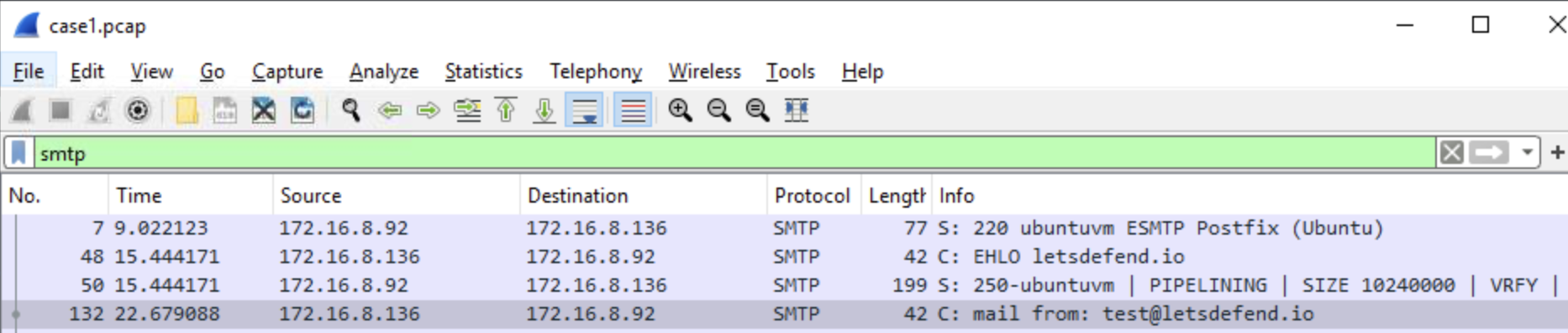 Figure 1 Applying the smtp filter on a pcap file in wireshark
The SMTP session begins with the server indicating it is ready to proceed with communication by responding with response code 220. The SMTP command ‘EHLO’ identifies itself to the server and provides a list of commands supported by the server. Response code 250 is the server identifying itself (figure 2).
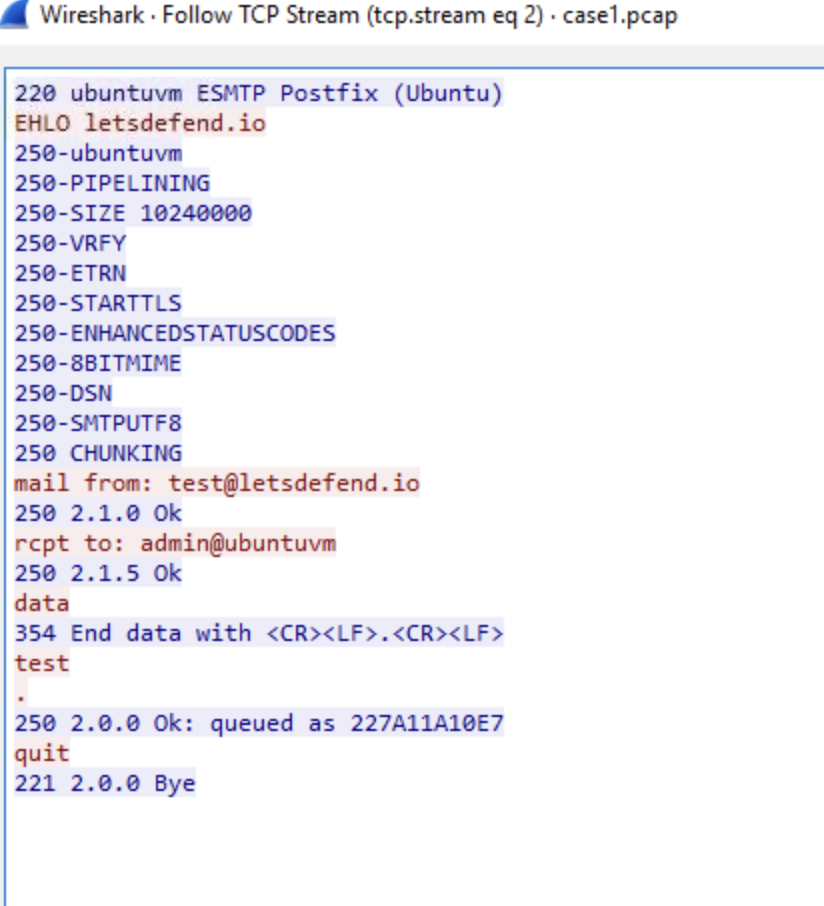 Figure 2 SMTP traffic from start to finish
Further inspection of the network traffic log indicates the email address that sent the email is : test@letsdefend.io.
 Figure 3 Sender’s email address
—
The destination email address that receieved the email is: admin@ubuntuvm. 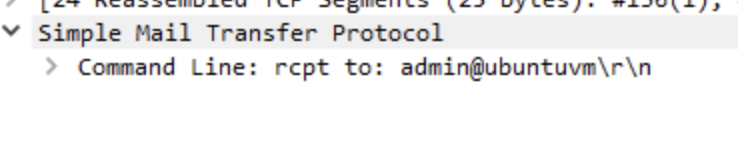 Figure 4 Email address of the recipient
The source IP address that sends the ‘EHLO’ message in SMTP traffic is: 172.16.8.136 (figure 5). 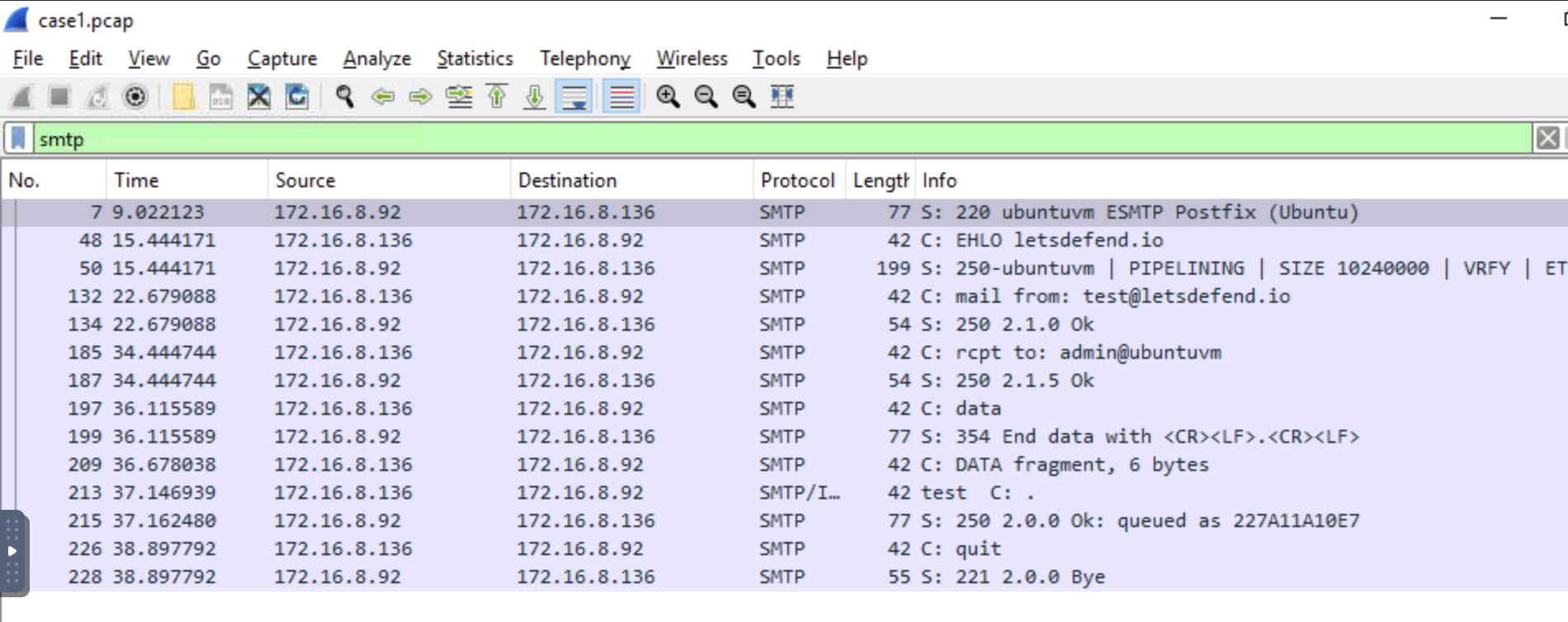 Figure 5 Overview of the filtered network traffic log